
Help Center · Account Connections

Disconnect connected platforms safely

Follow the official Meta procedure to remove Spoyy’s access to your Instagram account. Future social platforms (TikTok, YouTube, Facebook Pages) will use the same structure, so this page will expand as soon as new integrations go live.

Last updated: March 30, 2026

1. Overview

Content creators can review and revoke every platform connection directly on the social network where the connection started. When you remove access for Spoyy-IG, Meta instantly invalidates the login token and Spoyy signs you out of Instagram features (campaign analytics, profile sync, AI recommendations).

Quick facts

  • Your data stops syncing immediately after removal.
  • You can re-connect anytime from the Spoyy dashboard > Connected platforms.
  • Instagram may take up to 60 seconds to refresh the Active list.
  • Removing access cannot be undone; you must complete a new OAuth login to use IG data again.

2. Requirements

Before you start, make sure the following checklist is covered. This prevents failed removals and avoids multiple login prompts.

  • Use the same Instagram account that is connected to Spoyy.
  • Have the Instagram mobile app updated to the latest version.
  • Ensure that you have access to the Meta Accounts Center if prompted.
If you manage multiple Instagram profiles via Meta Accounts Center, confirm you selected the correct profile before removing Spoyy-IG.

3. Remove access on Instagram

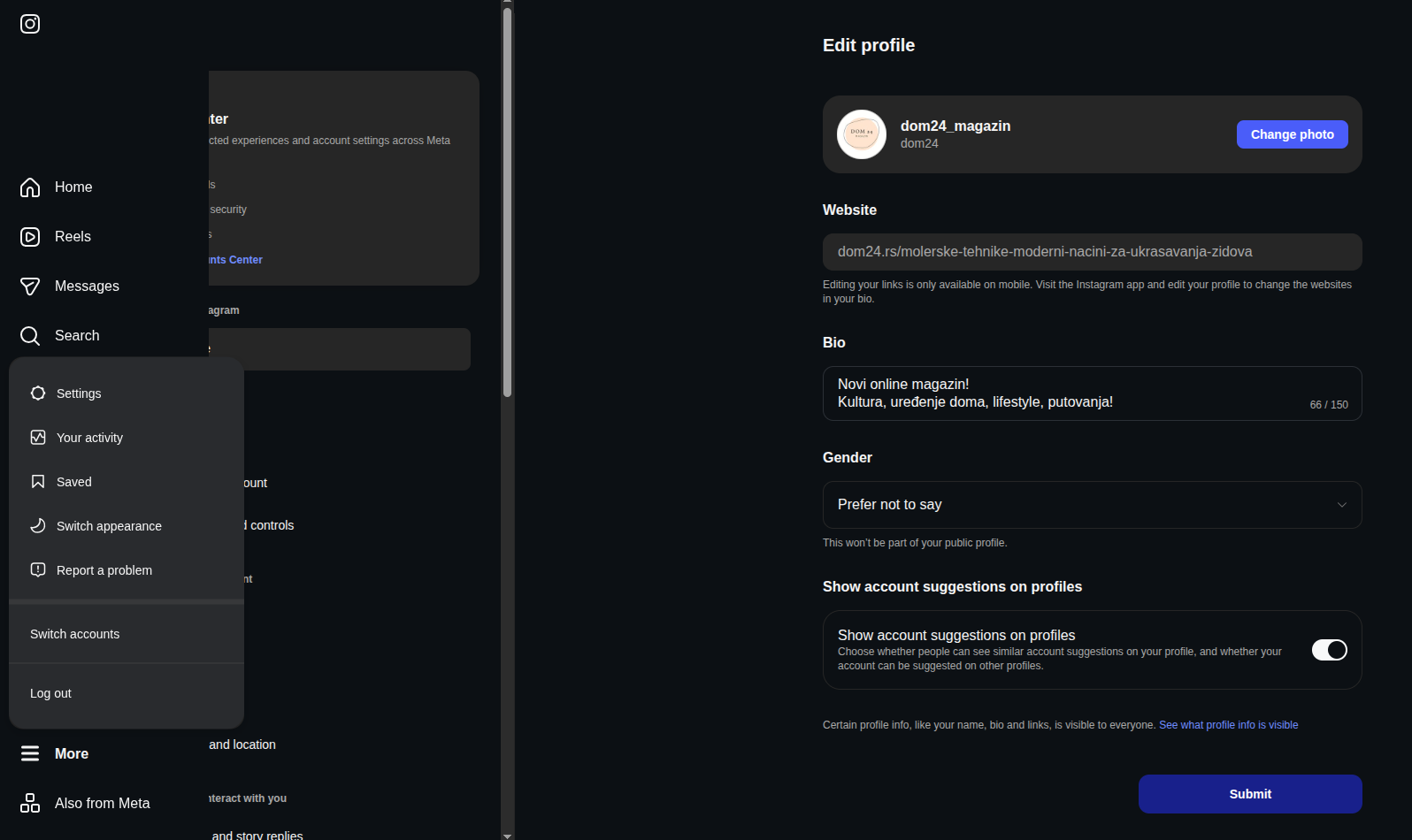
Follow the four screenshots below to remove the Spoyy-IG integration. Each step is annotated with what you should see on screen.

Instagram profile screen highlighting the More menu button

Step 1 · Open Instagram & access the menu

Sign in to Instagram, tap the profile icon, then tap the hamburger (More) icon in the top right corner to open the action sheet.
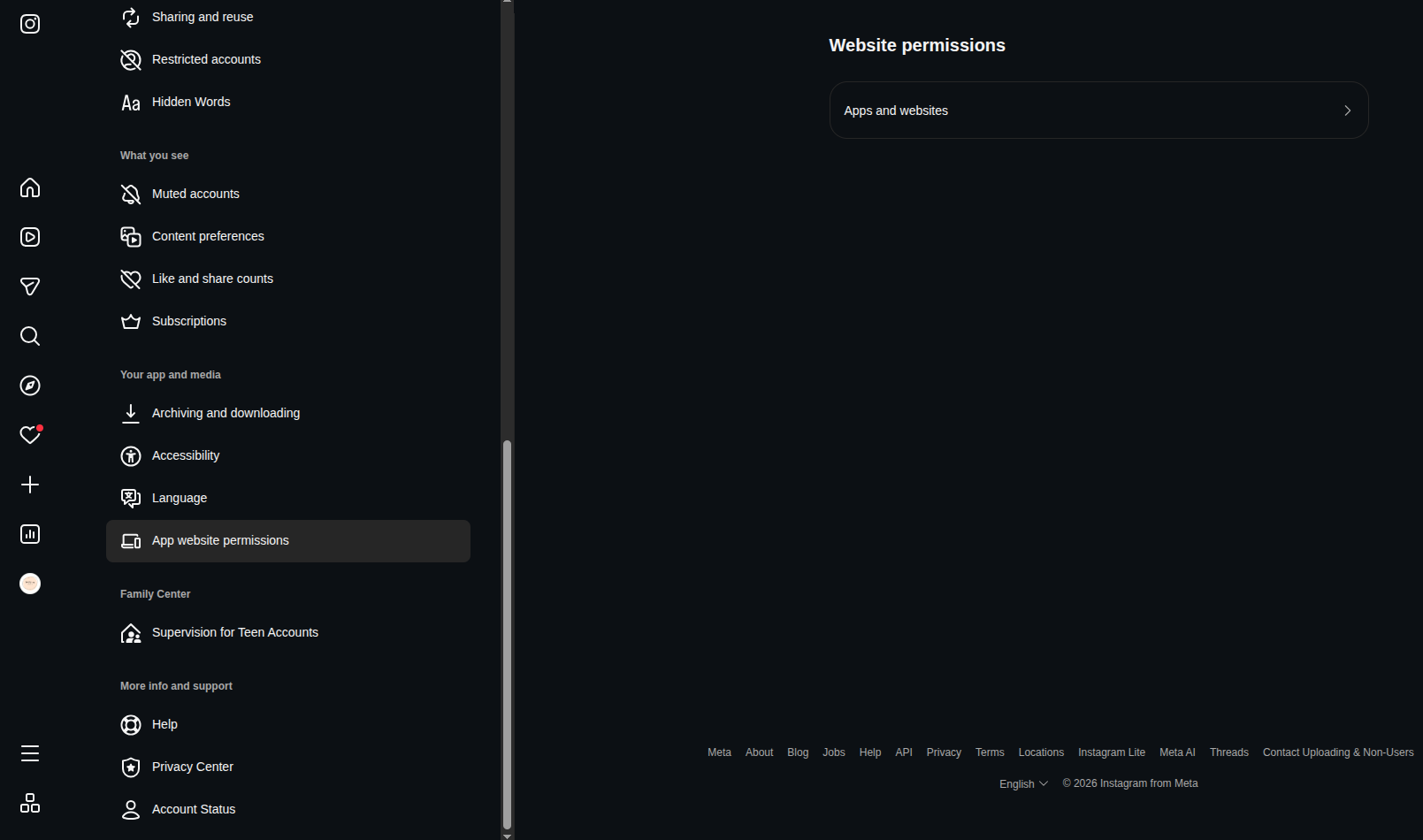
Instagram settings menu showing the Settings and privacy option

Step 2 · Navigate to Settings & privacy

Choose “Settings and privacy”. Scroll to the Permissions section and tap “Apps and websites”.
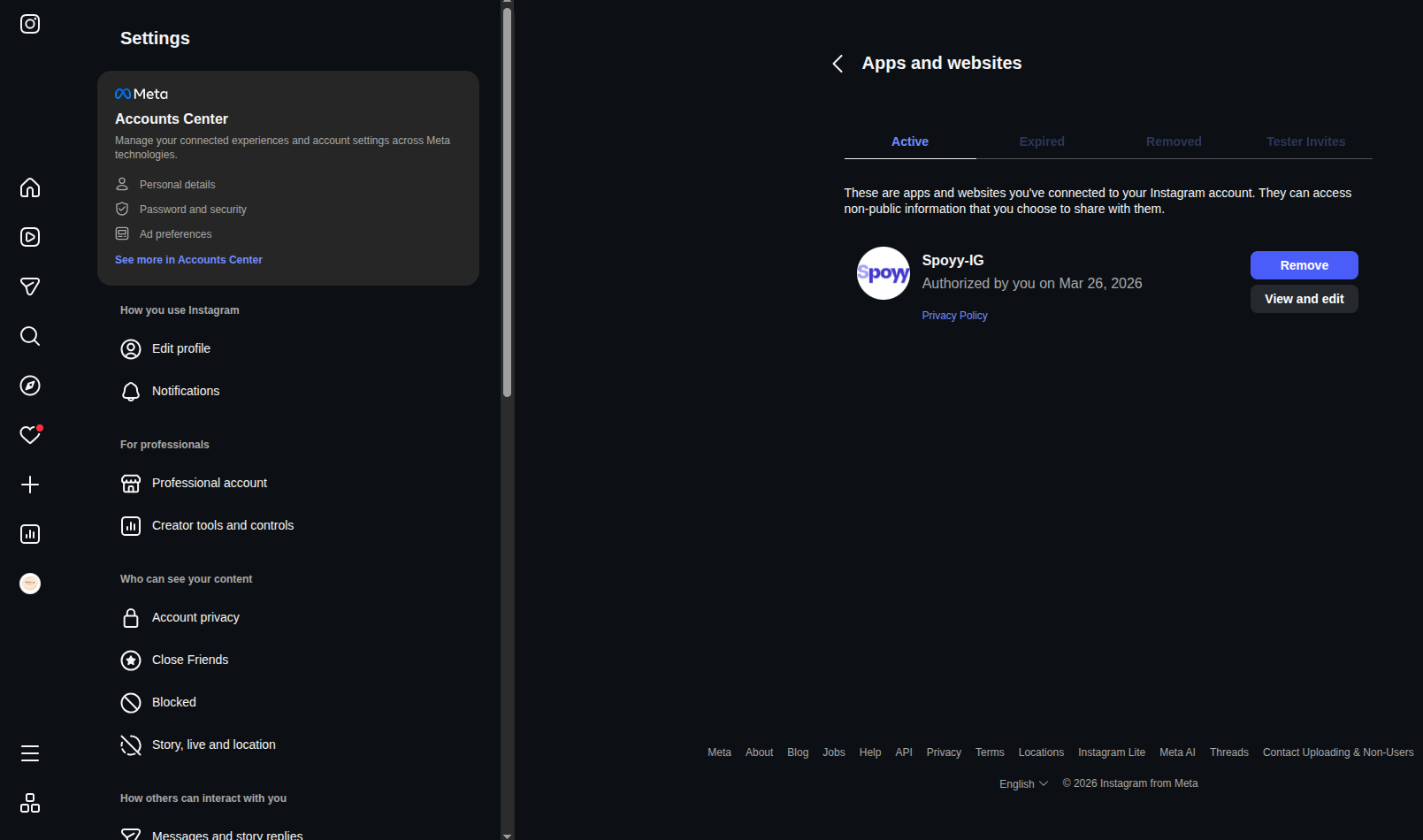
Apps and websites screen filtered to the Active tab

Step 3 · Open App and Website Permissions

Inside “Apps and websites”, switch to the Active tab. Instagram lists every external app that can access your data.
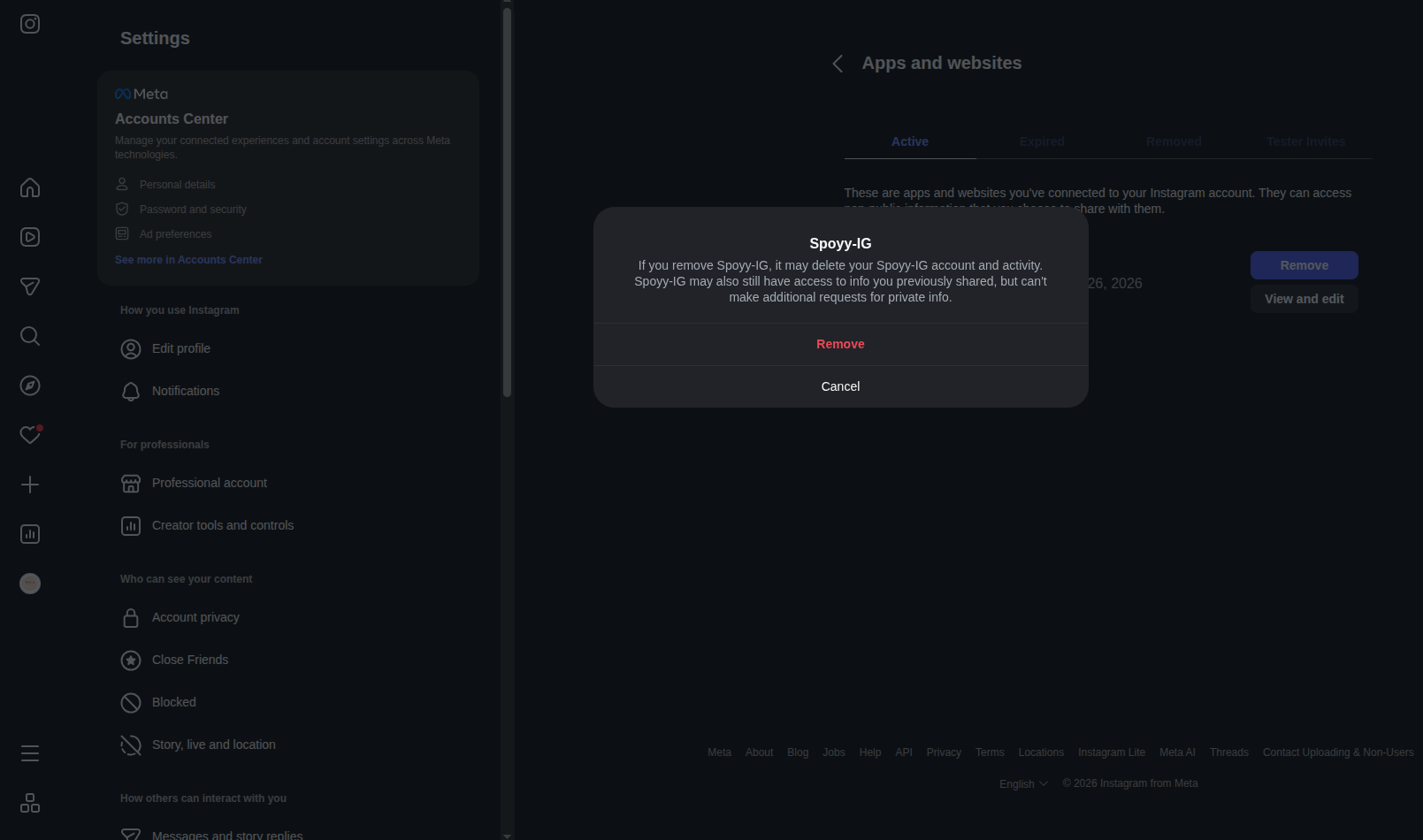
Confirmation dialog to remove the Spoyy-IG app access

Step 4 · Remove Spoyy-IG

Locate Spoyy-IG, tap “Remove”, then confirm. Meta immediately revokes the token and Spoyy deauthorizes your profile.

After tapping Remove, Meta shows a confirmation dialog. Choose “Remove” again to finalize. You can verify within Spoyy by refreshing the Connected platforms widget – Instagram will show the “Connect” CTA again.

4. Confirm disconnection

Once Meta revokes the token, Spoyy performs the following automated clean-up jobs:

  • All Instagram insights cached for your account are marked as expired and removed within 24 hours.
  • Automation jobs stop fetching new metrics, preventing partial or stale campaign analytics.
  • You will see a banner in Spoyy reminding you to reconnect before applying to data-verified campaigns.

If you need to re-enable Instagram, head to Dashboard > Connected platforms and follow the OAuth flow again. The platform sync resumes instantly.

5. Upcoming platforms

Help content for additional networks is being authored now. Each guide will mirror the Instagram layout with screenshots, compliance notes, and links to native support articles.

TikTokDocumentation in progressTarget publish: Q2 2026
YouTubeAPI scopes under reviewTarget publish: Q3 2026
Facebook PagesPending Meta compliance checklistTarget publish: Q3 2026

6. Need more help?

If any of the steps above differ from what you see, Meta may have updated their interface. Send us a short Loom or screenshot gallery and we will refresh this article.

Preferred contactinfo@spoyy.com

Subject: Help Center · Instagram removal

Response within 1 business day We will share direct Meta links when available
Start for free

Transform your marketing today

Join thousands of brands using our platform to deliver standout influencer marketing results.

Free trial 5-minute setup 24/7 support

Monetize your content through authentic collaborations.

For creators

Find the right influencers for your brand.

For brands

Manage clients and campaigns in one place.

Agencies

Stay in the loop

Weekly insights, case studies, and influencer marketing tips. 15,000+ marketers already subscribe.

No spam, unsubscribe anytime.

Spoyy

A platform that connects businesses with verified content creators, with transparent metrics, analytics, and easy campaign management.

© 2026 Spoyy. All rights reserved.

Design and development

Nova logika